Table of Contents
The AI Travel Stack: From Overwhelm to "Auto-Pilot"
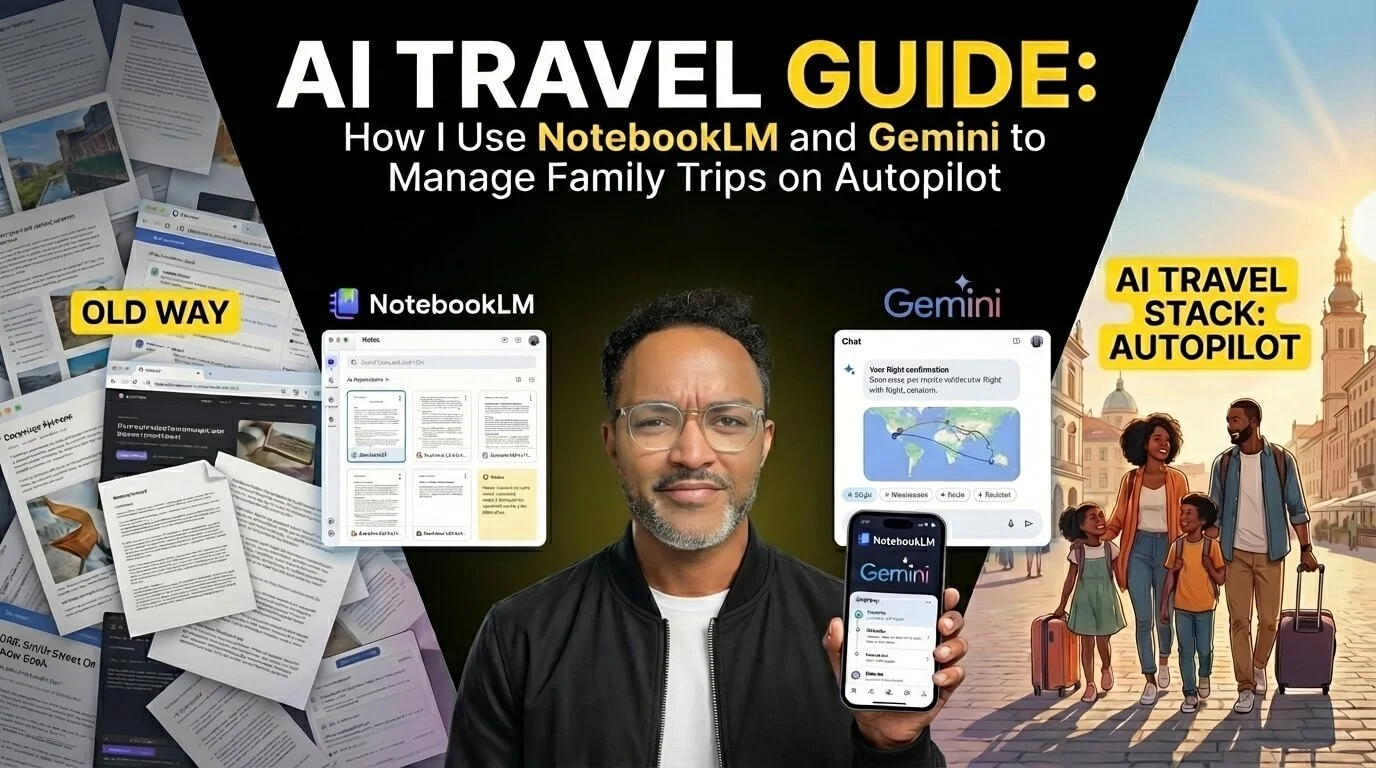
Let’s be real: Travel planning usually feels like a second job. You have PDFs in your downloads document, confirmation emails buried in your inbox, and random screenshots of "must-visit" spots in your camera roll.
It’s a mess. And when you are travelling with kids, that mess turns into stress. I used to spend hours sorting through tabs, much like the process I described in my guide on the millennial way to plan a trip.
I stopped doing it the hard way. I upgraded my system. By combining Google NotebookLM and Gemini, I built a personal travel agent that helps me keep track of where I need to be and when, without me having to search for anything.
Here is the breakdown of the system and why you need both tools to make it work.
What is an AI travel stack?
An AI travel stack is a workflow that uses AI tools to organize trip research, store documents, and help you find travel information faster. In this setup, NotebookLM acts as the research base and Gemini acts as the assistant
The Brain vs. The Doer: What’s the Difference?
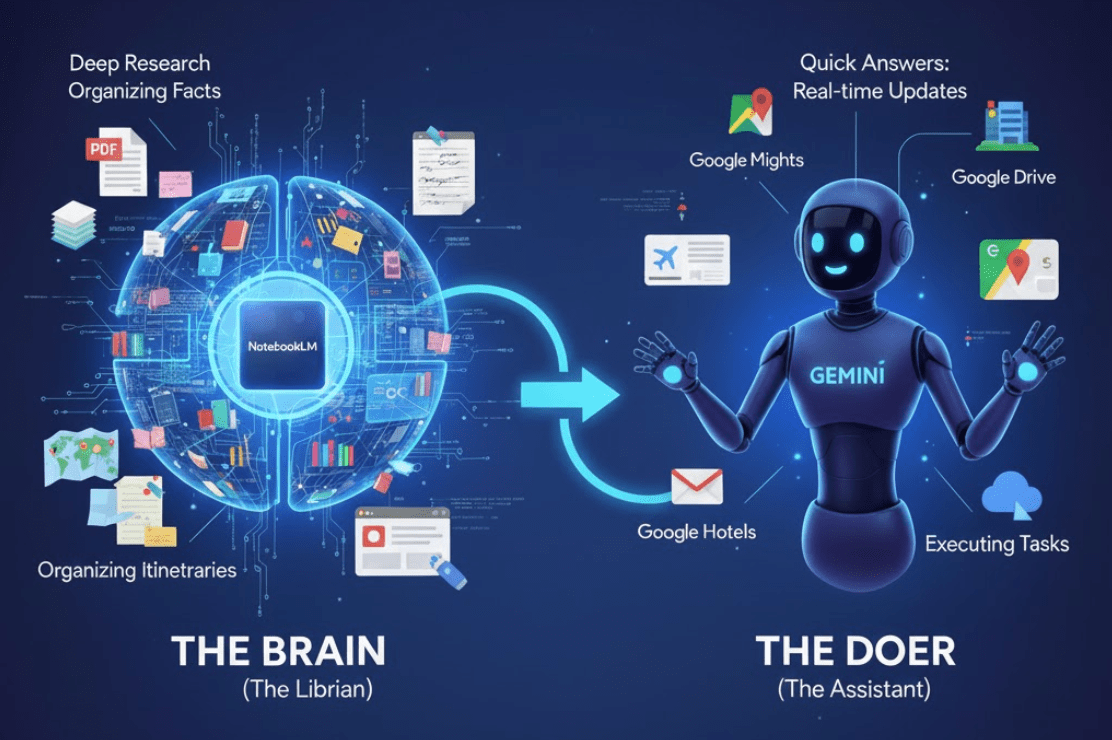
Think of your AI travel system like a team:
NotebookLM is "The Brain" (The Librarian)
It is where you dump everything. It ingests your massive PDFs, travel guides, messy notes, and web clippings. It organises them and, crucially, it grounds its answers in your data. It doesn't hallucinate; it grounds answers in the sources you add.
Use it for: Deep research, organising complex itineraries, and "grounding" the facts.
Gemini is "The Doer" (The Assistant)
It is the interface. It connects to the outside world (Google Flights, Maps, Hotels) and your personal world (Gmail, Drive). It is dynamic, conversational, and active.
Use it for: Quick answers, real-time updates, and executing tasks.
The problem? Until recently, they were siloed. The Brain didn't talk to the Assistant. Now, they do.
The "Magic Link": Why Connecting Them Changes Everything
This is the cheat code. You can now enable NotebookLM as an extension inside Gemini.
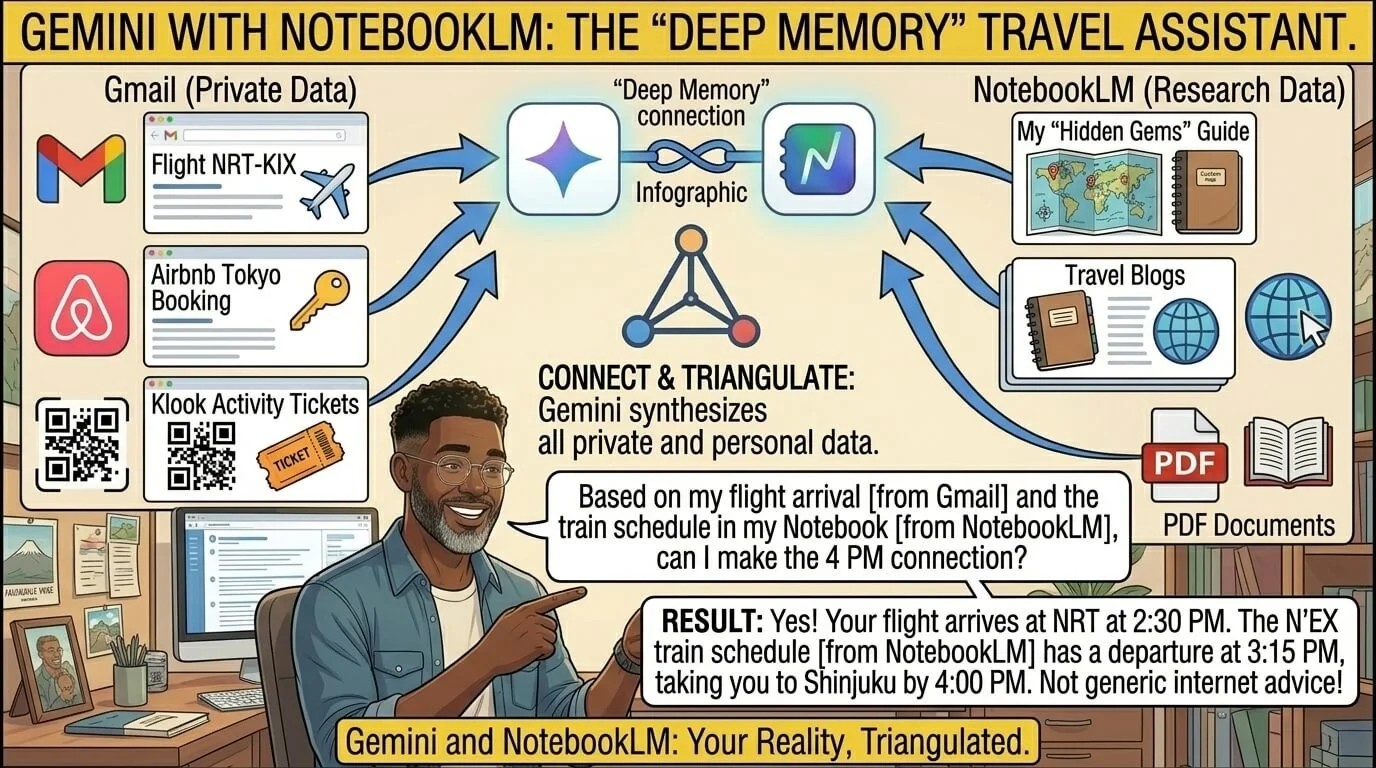
Why does this matter?
Because Gemini already has access to your Gmail. It can "see" your flight confirmation from your airline, your Airbnb booking in Tokyo, and your Klook activity tickets.
When you connect NotebookLM, you are giving Gemini a "Deep Memory."
The Workflow:
Feed NotebookLM: Upload your "travel destination document" that stores all your research: blogs, PDFs, and that custom "Hidden Gems" guide you wrote.
Connect Gemini: Ask Gemini a question like, "Based on my flight arrival time [pulled from Gmail] and the train schedule in my Notebook [pulled from NotebookLM], can I make the 4 PM connection?"
Gemini can help me bring together the relevant information. It gives me an answer based on my reality, not generic internet advice.
Your Personal Travel Guide (Hands-Free)

The "Killer Feature" for parents isn't the organisation: it's the entertainment.
When we were in London, I didn't want to be the dad with his nose buried in a guidebook, reading dry facts. I wanted to be present.
So, I fired up Gemini Live (Voice Mode).
Since Gemini had access to my itinerary and the historical context of where we were standing (via NotebookLM data), I simply said:
"Hey, tell the kids a fun, spooky story about the Tower of London where we are right now."
It wasn't a generic Wikipedia summary. It was an interactive story. My kids loved it. They started asking it questions. "Who lived here?" "Did they have dragons?"
Gemini answered them in real-time. It became a personalised tour guide, freeing up my hands and letting me actually look at the architecture and snap a few photos, instead of looking at my screen.
How to Execute This Today?
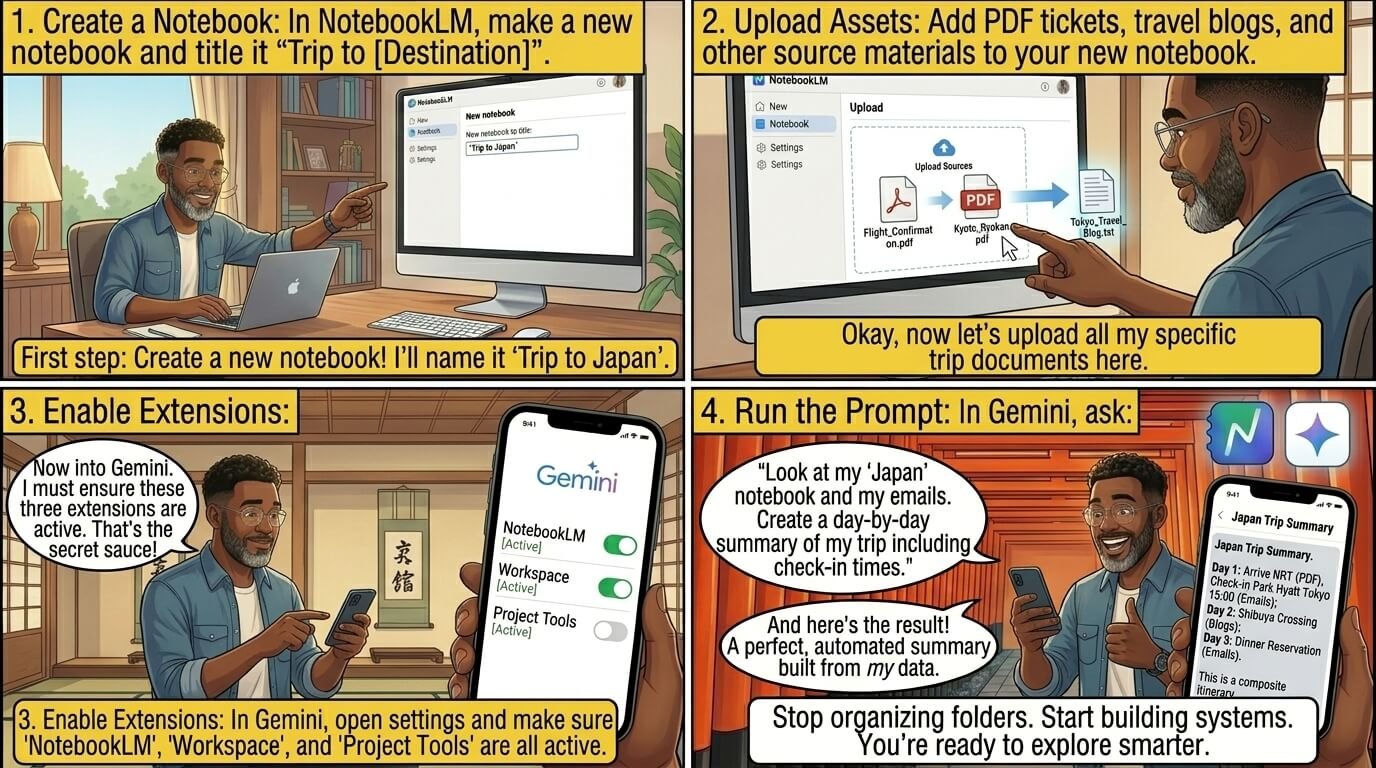
Don't overthink it. Here is how you start:
Create a Notebook in NotebookLM titled "Trip to [Destination]."
Upload your PDF tickets and any travel blogs you've saved.
Open Gemini and ensure the "NotebookLM" and "Workspace" extensions are active.
Prompt:"Look at my 'Japan' notebook and my emails. Create a day-by-day summary of my trip, including check-in times."
Stop organising folders. Start building systems.
Want to build your own Travel brain?
I’ve shared the exact AI prompts I use with Gemini and NotebookLM to turn travel research into a personal, on-demand travel guide, without overwhelm.
I host these systems inside my online community LifeDesignOS hosted on Nas.io, where I share the behind-the-scenes frameworks I use for travel, work, and lifestyle design.

👉 Download the free guide “How To Build Your Travel Brain” and adapt it to your own way of travelling.
(Templates included. No shortcuts, just systems you make your own.)
If you enjoyed reading this blog article, make sure to like it; it actually makes a difference. And if you know someone who would benefit from it, feel free to share it to support my work!
Safe travels
FAQ section
How is NotebookLM different from Gemini?
NotebookLM is best for grounding answers in the documents you upload, like PDFs, notes, and saved travel research. Gemini is better for live assistance, conversations, and connecting with Google services.
Why use both NotebookLM and Gemini for travel planning?
Using both gives you the best of both worlds: NotebookLM keeps your travel research organized, while Gemini helps you turn that information into fast answers and actions. Together, they reduce the need to search through emails, screenshots, and tabs.
Can Gemini read my emails and travel documents?
Gemini can work with connected Google services in supported setups, which may include Gmail and Drive. The exact behavior depends on your account and which integrations are enabled.
Is this useful for family travel?
Yes. It is especially useful for family travel because it helps you stay organized, reduce stress, and spend less time managing logistics. That means more time being present with your kids.
What kinds of travel files should I upload to NotebookLM?
You can upload flight confirmations, hotel bookings, rail passes, insurance documents, destination guides, and your own notes. You can also add screenshots and other trip-related reference material.
Can I use this system for city breaks and long trips?
Yes. It works for both short and long trips because the same system can handle a simple weekend itinerary or a multi-country travel plan.
Is this better than using spreadsheets?
For many people, yes. Spreadsheets are good for lists, but NotebookLM and Gemini make it easier to search, summarize, and ask natural-language questions about your trip.
Will this replace my travel planning completely?
Not completely. It will reduce manual work, but you still need to review the information and make your own decisions. Think of it as a travel operating system, not a replacement for judgment.








PIN ME

Discover the difference between Google NotebookLM and Gemini and how to combine them to build a personalized AI travel agent. Learn the exact workflow to sync your flights, hotels, and itinerary for stress-free family travel.